

- Connect your organization using GitHub or GitLab.
- Add a SAML SSO provider in Codemod.
- Configure your identity provider (Okta, Google Workspace, or another SAML IdP).
Steps
1
Open SSO settings
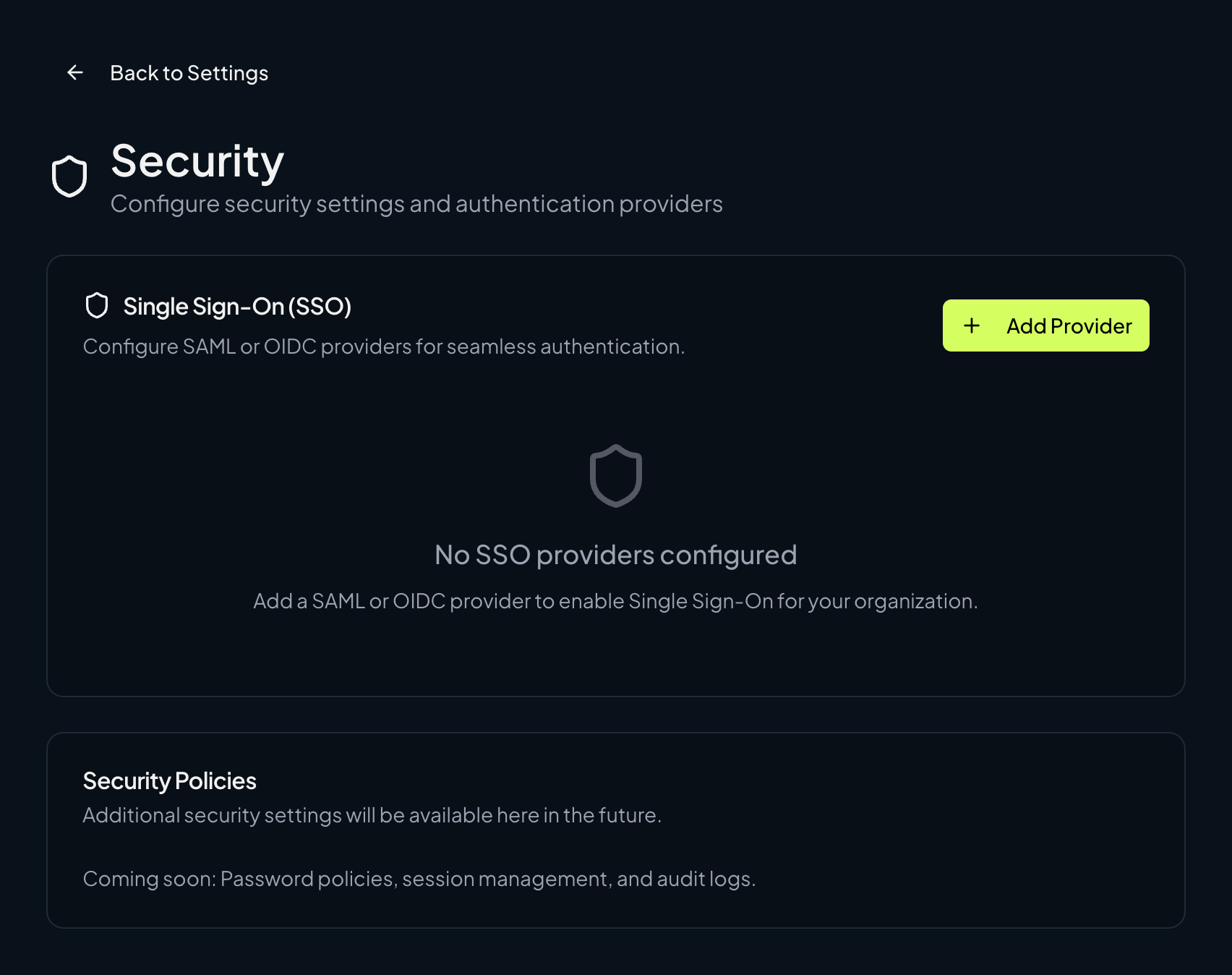
Go to Organization Settings → Security → Single Sign-On (SSO) and click Add Provider.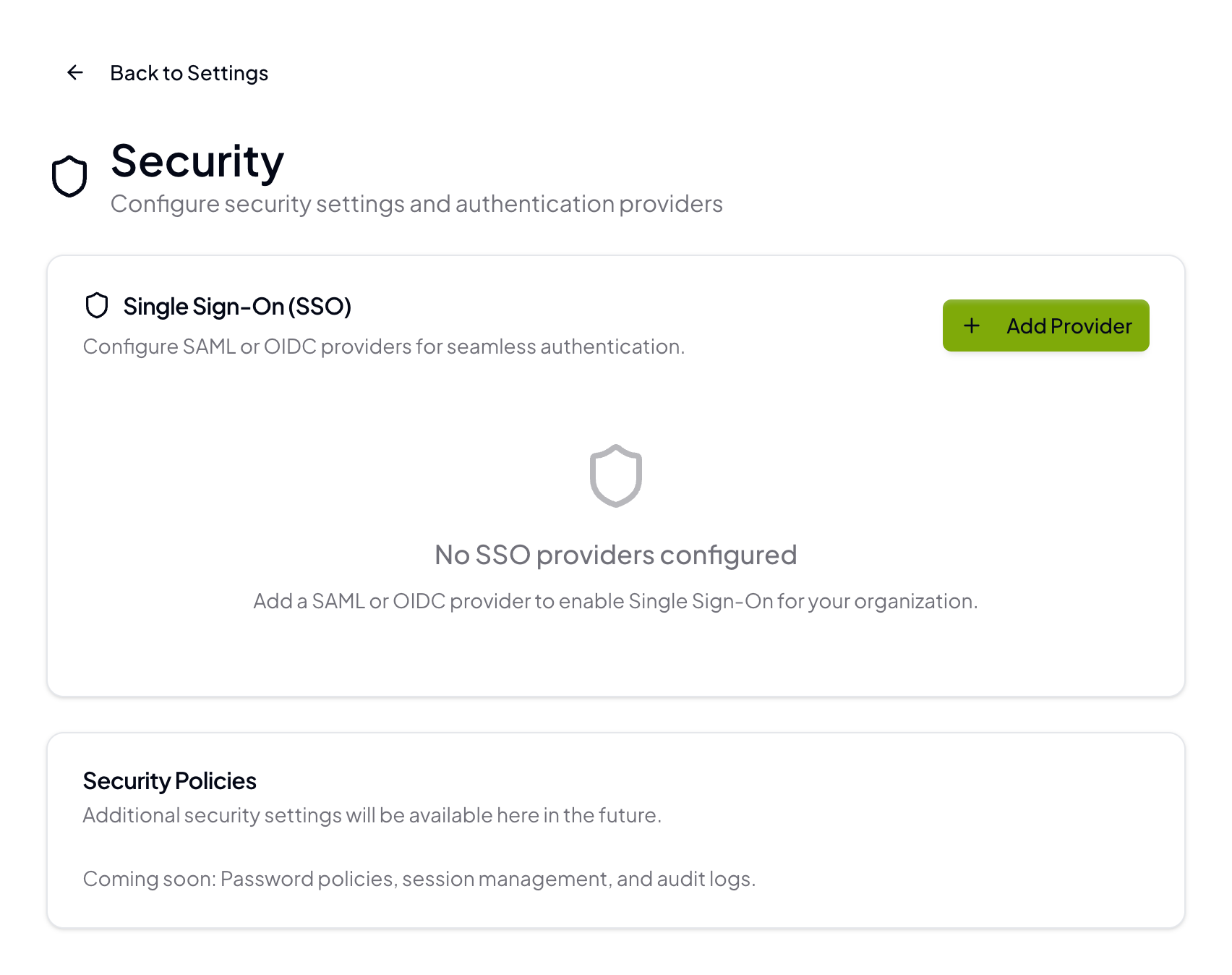
2
Basics
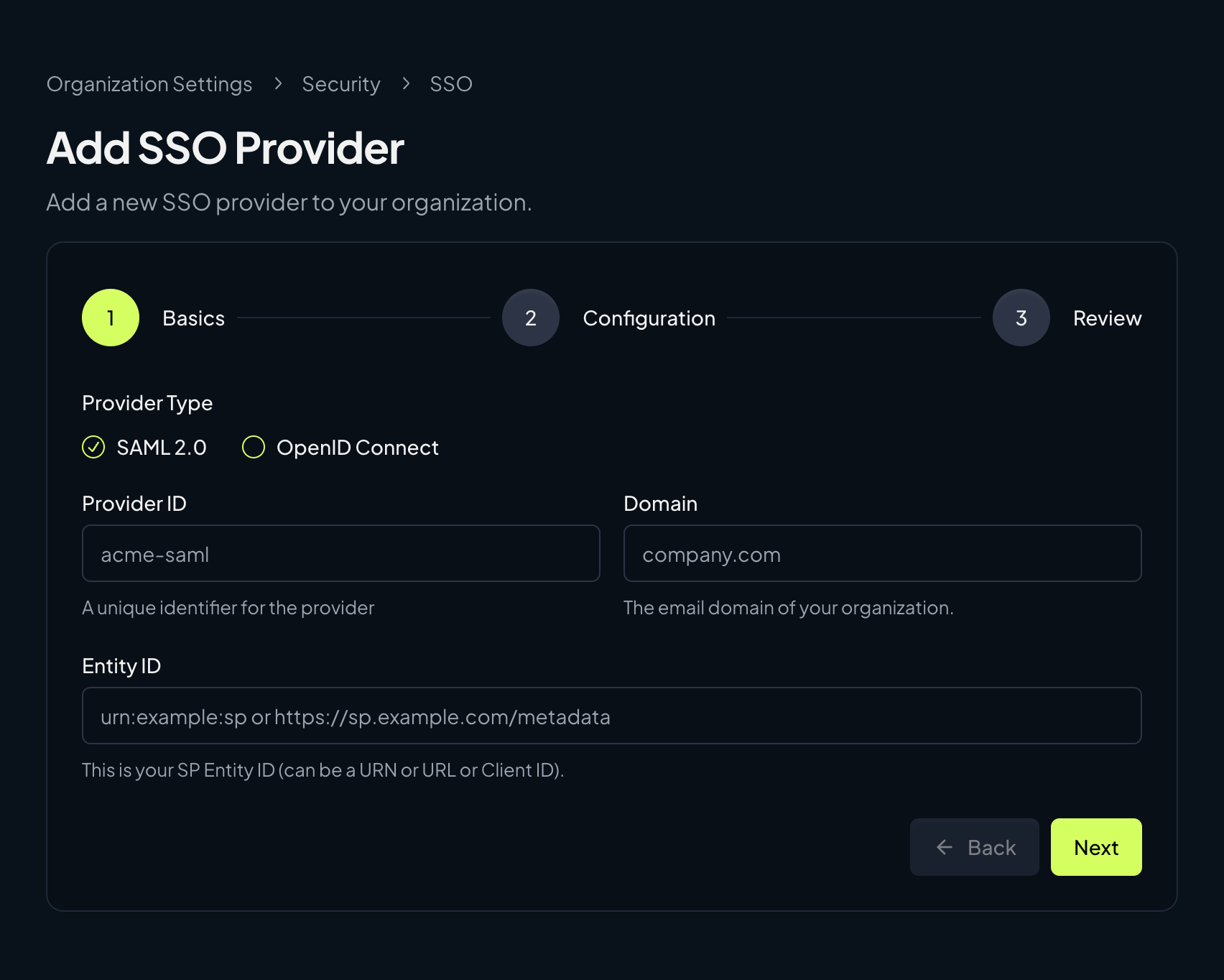
Select SAML 2.0, then enter the Provider ID, Domain, and Entity ID for your SAML provider.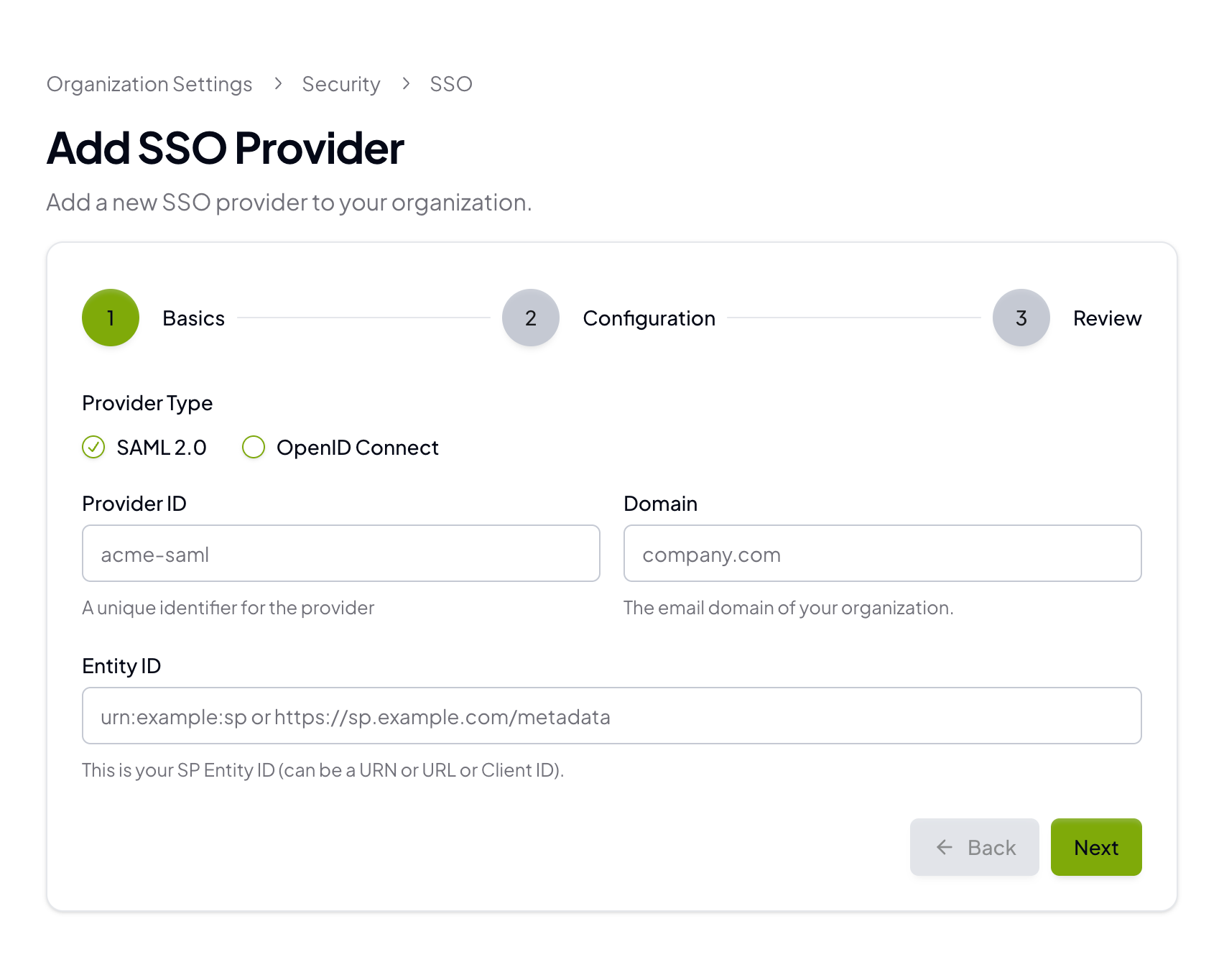
- Provider ID: A short, unique identifier (for example,
acme-saml) - Domain: Your email domain (for example,
company.com) - Entity ID: The SP Entity ID you will also configure in your IdP
3
Configuration
Add the IdP details from your provider: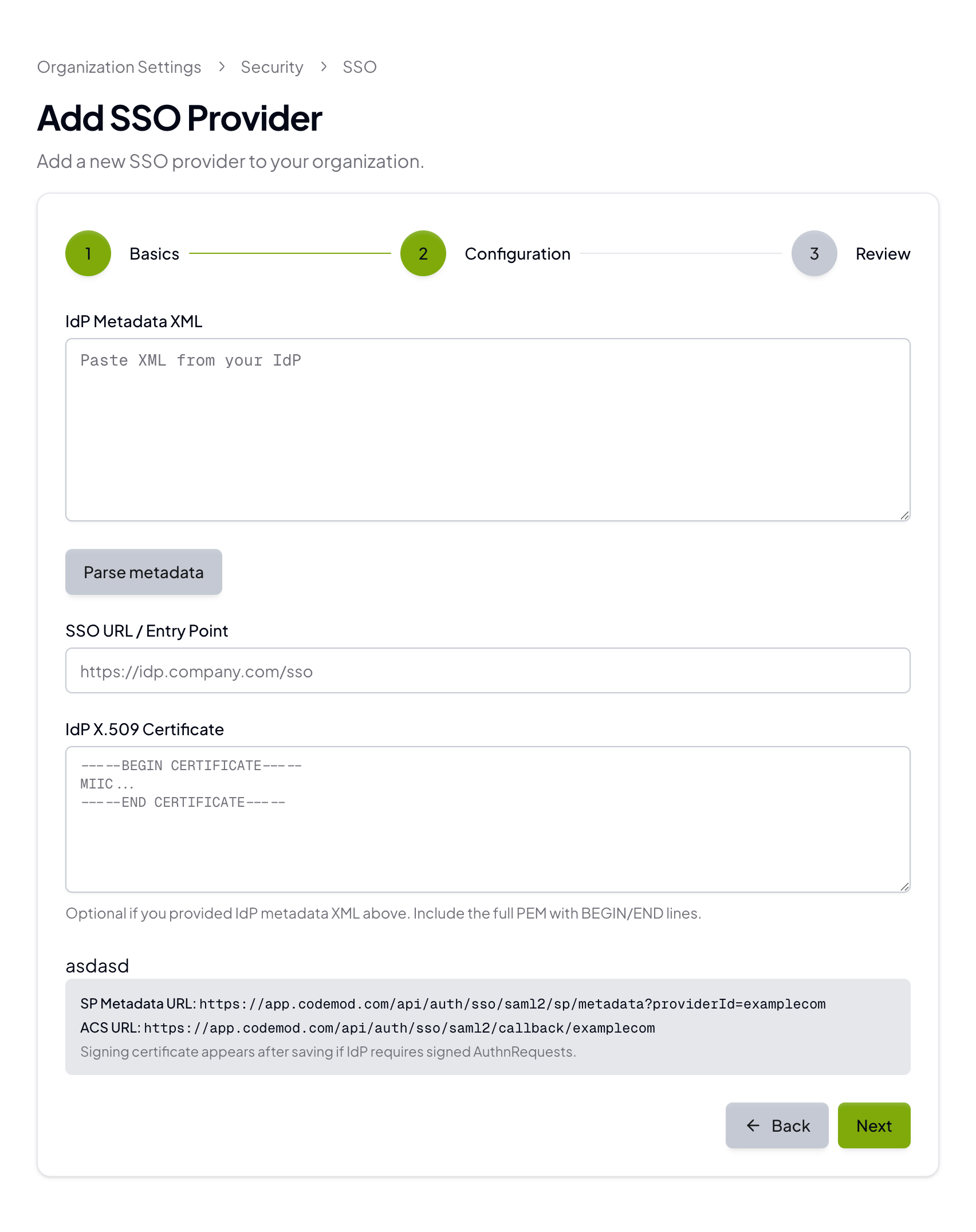
- IdP Metadata XML (recommended)
- SSO URL / Entry Point
- IdP X.509 Certificate
4
Review and save
Review the settings, then save the provider. Your organization will be ready for SSO login.
Required SAML attributes
Codemod requires the following user attributes:emailgivenNamesurnamesub(must be a unique identifier for each user; you can use an ID, login, or email)
Configure your identity provider (IdP)
The Codemod configuration screen provides the SP metadata URL and ACS URL. Your IdP will also give you an IdP metadata XML, SSO URL, and X.509 certificate. You can paste the metadata XML to auto-fill the SSO URL and certificate. If your IdP supports importing a Service Provider by URL, use the SP metadata URL from Codemod. If it doesn’t, configure the ACS URL and Entity ID manually. Use this mapping when moving values between Codemod and your IdP:
Below are provider-specific instructions for Okta and Google Workspace. If you are using another IdP, map the same values and attributes.
Okta
- In the Okta Admin Console, go to Applications → Applications and select your Codemod SAML app (or create a new SAML 2.0 app).
- In the app’s Sign On tab, click Edit in the SAML settings.
- Under SAML Settings, set:
- Single sign on URL → Codemod ACS URL
- Audience URI (SP Entity ID) → Codemod Entity ID
- Save, then copy the IdP details back to Codemod:
- Use View IdP metadata (or equivalent) and paste the XML into IdP Metadata XML in Codemod.
- Alternatively, copy the SSO URL and X.509 certificate into the corresponding fields.
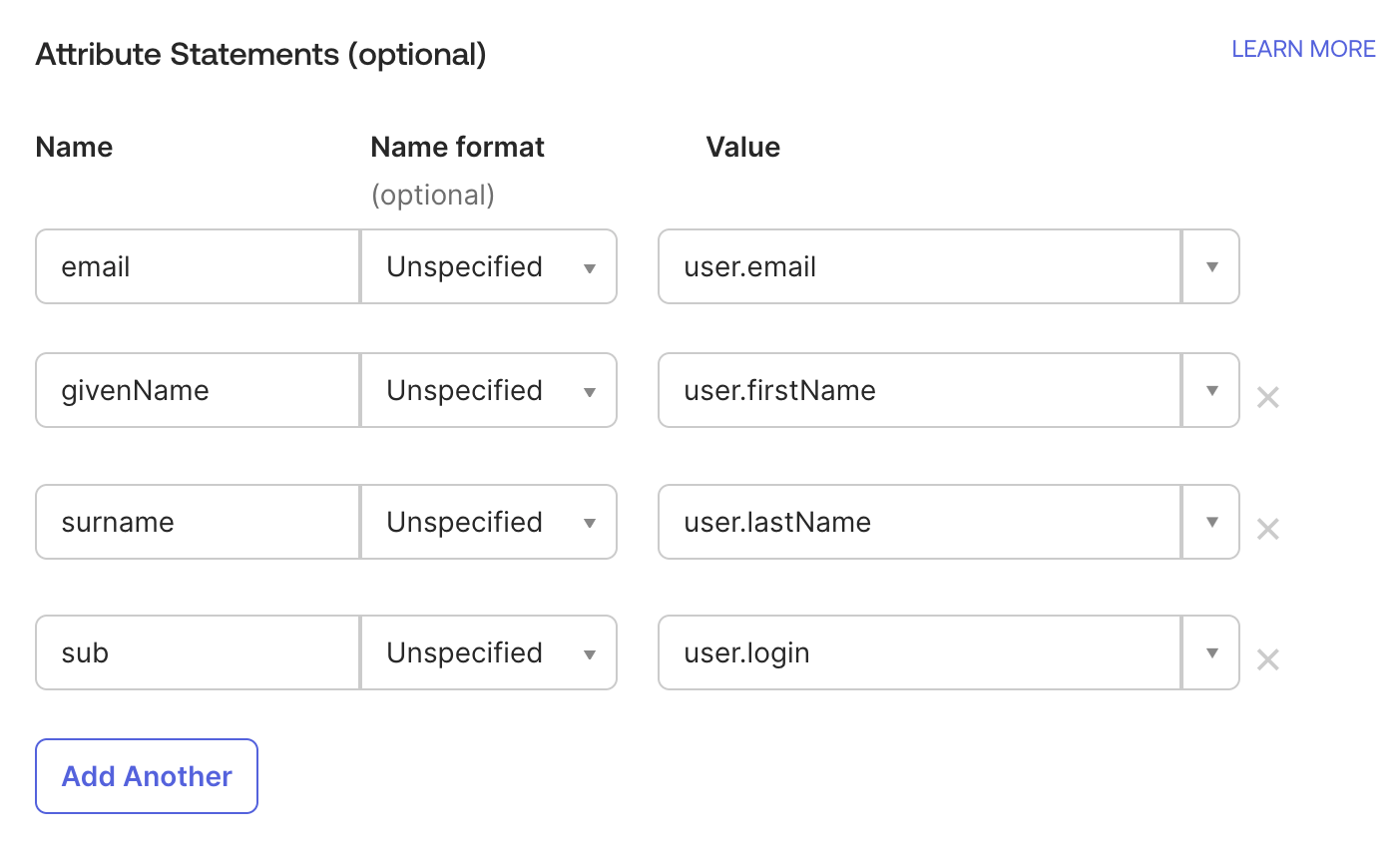
- Under Attribute Statements, add these mappings:
email→user.emailgivenName→user.firstNamesurname→user.lastNamesub→user.login(oruser.id/user.emailif you prefer)
Google Workspace (Google SAML)
- In the Google Admin console, go to Apps → Web and mobile apps → Add app → Add custom SAML app.
- On the Google IdP information step, copy the SSO URL and certificate (or download metadata if available) and paste them into Codemod:
- SSO URL → Codemod SSO URL / Entry Point
- Certificate → Codemod IdP X.509 Certificate
- On the Service provider details step, set:
- ACS URL → Codemod ACS URL
- Entity ID → Codemod Entity ID
- On the Attribute mapping step, add these mappings:
email→ Basic Information > Primary EmailgivenName→ Basic Information > First Namesurname→ Basic Information > Last Namesub→ Basic Information > Primary Email (or another unique user ID if you prefer)